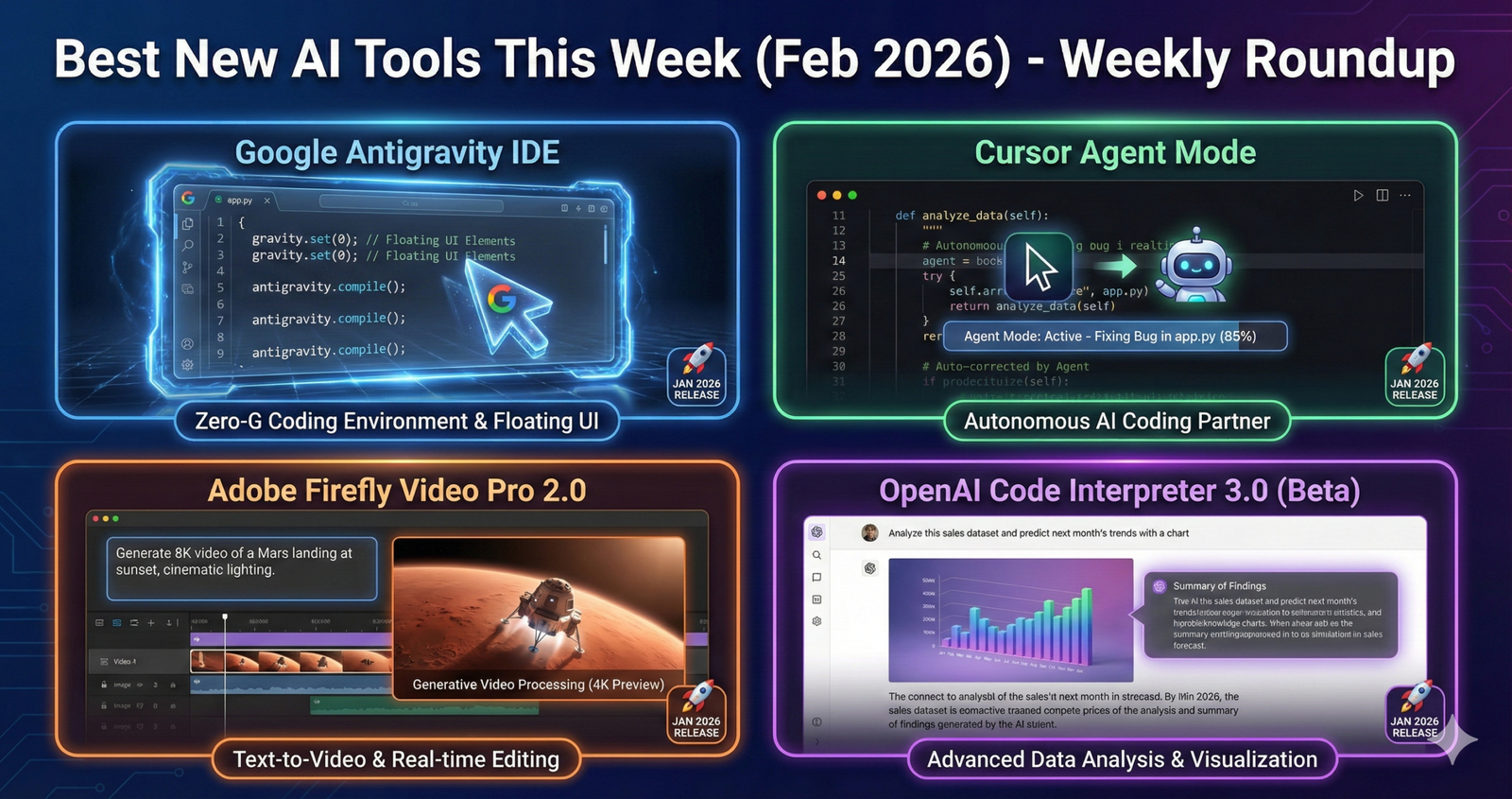
The AI tool landscape moved fast this week, delivering eight game-changing releases that actually matter for creators, developers, and businesses. While dozens of tools launched, most were incremental updates or repackaged existing capabilities. The standout releases featured truly innovative approaches to coding assistance, content creation, and business automation—tools solving real problems rather than creating impressive demos that fail in production.
This week’s highlight belongs to Google’s surprising entry into AI-native development with Antigravity IDE, offering developers a completely free alternative to Cursor and Windsurf’s premium coding assistants. Meanwhile, privacy-focused tools like Privacy Watch addressed critical compliance challenges businesses face, and SEON’s identity verification platform brought advanced AI security mainstream at affordable price points.
What makes this week particularly significant is the shift toward practical applications. After months of frontier model releases focused on raw capability, this week emphasized deployment-ready tools designed for specific workflows. Developers, marketers, and security teams gained accessible solutions that integrate seamlessly into existing processes without requiring AI expertise.
Whether you’re building software, creating content, securing systems, or automating workflows, this week brought tools worth testing immediately. Let me walk you through the eight most impactful releases, what makes them special, who should use them, and how they compare to existing alternatives. Similar to how major AI model updates reshape possibilities, this week’s tool releases expand what teams can accomplish without massive budgets or specialized knowledge.
1. Google Antigravity: Free AI-Powered IDE Challenges Premium Competitors
- Released: January 19, 2026
- Category: Developer Tools
- Pricing: Free (public preview), approximately $20/month Pro when launched
Google disrupted the AI coding assistant market by announcing Antigravity, a completely free IDE built on Visual Studio Code that rivals premium tools like Cursor and Windsurf. The tool uses parallel agent orchestration to handle multiple coding tasks simultaneously—fixing bugs while refactoring code while writing tests—without the sequential bottlenecks plaguing competitors.
The timing proves strategic. Cursor charges $20 monthly and recently launched Agent Mode, while Windsurf cut prices to $15 monthly to remain competitive. Google entered offering identical core functionality at zero cost during public preview, immediately attracting developers frustrated by subscription fatigue.
Key Features:
- Parallel agent execution handling 3-5 simultaneous coding tasks
- Native integration with Google Cloud and Firebase
- Multi-language support covering JavaScript, Python, Go, Java, and TypeScript
- Built-in security scanning and vulnerability detection
- Real-time collaboration features for team development
What Makes It Special:
Unlike sequential coding assistants that complete one task before starting another, Antigravity’s parallel architecture tackles multiple challenges simultaneously. When debugging a React component, it can simultaneously update related tests, refactor connected utility functions, and update documentation—workflows that previously required manual coordination or multiple tool invocations.
The VS Code foundation ensures developers don’t face a learning curve. Existing extensions, keybindings, and workflows transfer directly. This familiarity dramatically lowers adoption friction compared to proprietary IDEs requiring extensive onboarding.
Best For:
- Developers seeking free alternatives to Cursor or GitHub Copilot
- Teams heavily invested in Google Cloud ecosystem
- Full-stack developers juggling front-end and back-end simultaneously
- Open source projects where subscription costs prevent team-wide adoption
Limitations:
Public preview access currently requires joining a waitlist, with approval times ranging from immediate to several days. The tool’s performance optimization remains ongoing—some users report occasional lag during heavy parallel processing. Additionally, while free during preview, eventual Pro pricing around $20 monthly matches competitors, potentially eliminating the cost advantage once general availability arrives.
Integration with non-Google services lags behind specialized tools. Developers working primarily with AWS or Azure might find Cursor’s broader platform support more suitable despite the cost.
2. Privacy Watch: AI-Powered Compliance Monitoring for Website Privacy
- Released: January 20, 2026
- Category: Privacy & Compliance
- Pricing: Custom enterprise pricing (starting around $299/month estimated)
Privacy regulations grow stricter while enforcement intensifies, yet most companies lack resources to continuously monitor website compliance. Privacy Watch solves this gap through AI-powered continuous monitoring that automatically detects privacy violations before they trigger fines or lawsuits.
The platform specifically addresses client-side privacy risks—third-party scripts, tracking pixels, cookies, and analytics implementations—that traditional server-side compliance tools miss entirely. These client-side elements represent the majority of privacy violations occurring on modern websites but remain largely invisible to conventional monitoring approaches.
Key Features:
- Real-time monitoring of all client-side scripts and data flows
- Automated compliance checks against GDPR, CPRA, HIPAA, and CCPA
- Evidence logging providing audit trails for regulatory inquiries
- Alert system flagging violations immediately upon detection
- Regulation-specific reporting customized for different jurisdictions
What Makes It Special:
Most privacy tools scan websites periodically—daily or weekly checks that miss violations occurring between scans. Privacy Watch monitors continuously, detecting problems within minutes of deployment rather than days or weeks later when damage has occurred.
The AI component learns your specific website architecture and compliance requirements, reducing false positives that plague generic scanning tools. Over time, it recognizes legitimate data flows versus suspicious patterns, providing increasingly accurate violation detection without requiring constant manual configuration.
Best For:
- E-commerce sites handling customer data across multiple jurisdictions
- Healthcare organizations subject to HIPAA compliance
- Marketing agencies managing websites for multiple clients
- SaaS companies operating internationally with varying privacy laws
Limitations:
The platform requires integration into your website deployment pipeline, adding technical complexity unsuitable for completely non-technical teams. Small businesses with simple websites might find the cost-benefit ratio unfavorable compared to manual quarterly audits.
Documentation remains sparse during this initial release. Early adopters report needing direct support conversations to configure complex compliance scenarios properly. Additionally, the tool monitors compliance but doesn’t automatically fix violations—teams still need developers to implement remediation.
3. Cursor Agent Mode: Autonomous End-to-End Development Assistant
- Released: January 10, 2026
- Category: Developer Tools
- Pricing: $20/month Pro plan (included), unlimited Claude Sonnet and GPT-4 access
Cursor escalated the AI coding war by launching Agent Mode, transforming their IDE from an autocomplete assistant into an autonomous developer capable of tackling entire GitHub issues without human intervention. The tool processes complete workflows—understanding requirements, writing code, running tests, creating pull requests, and responding to code review feedback—mimicking human developer patterns.
This release directly responds to Windsurf’s Cascade agent, which pioneered autonomous coding in November 2025. Cursor users had requested similar capabilities for months, and the company delivered a competitive implementation supporting their 2 million user base.
Key Features:
- End-to-end GitHub issue resolution from reading to PR submission
- Multi-file editing handling complex refactors across entire codebases
- Terminal command execution for builds, tests, and deployments
- Context processing 40% larger than competing IDEs
- Integration with project management tools for automatic status updates
What Makes It Special:
Traditional coding assistants generate code snippets or complete individual functions. Agent Mode tackles architectural challenges—implementing new features that span controllers, services, database migrations, tests, and documentation. It understands how changes ripple through systems and handles those dependencies automatically.
The 40% context improvement means Agent Mode understands more of your codebase simultaneously, producing solutions that align with existing patterns rather than introducing stylistic inconsistencies. For large projects, this architectural awareness proves transformative.
Best For:
- Solo developers managing multiple projects simultaneously
- Small teams with more GitHub issues than developer capacity
- Agencies delivering client work with tight deadlines
- Open source maintainers triaging community contributions
Limitations:
Agent Mode excels at well-defined, isolated problems but struggles with ambiguous requirements requiring judgment calls. Issues stating “improve user experience” or “make this faster” produce inconsistent results compared to specific implementation tickets.
The autonomous nature introduces risks. Without supervision, Agent Mode might implement technically correct but strategically poor solutions. Code review remains essential—treat it like a junior developer requiring oversight rather than a senior engineer you trust implicitly.
Cost considerations matter for individuals or small teams. The $20 monthly subscription includes unlimited API access to premium models, but requires paying regardless of usage intensity. Developers coding sporadically might find per-use API access more economical. Much like how businesses evaluate Microsoft Copilot’s value proposition, Cursor’s fixed pricing benefits heavy users while potentially overcharging light users.
4. SEON Identity Verification: AI-Powered Global ID Checking
- Released: January 22, 2026
- Category: Security & Verification
- Pricing: Custom pricing based on verification volume
Identity fraud costs businesses billions annually while manual verification creates friction that abandons legitimate customers. SEON addresses both challenges with AI-powered identity verification combining document analysis, liveness detection, and proof of address validation in a unified risk platform that processes verifications in seconds rather than hours.
The platform supports global government-issued IDs from over 200 countries, automatically adapting verification logic to local document standards without requiring manual configuration for each jurisdiction. This international coverage proves critical for businesses operating across borders where verification complexity traditionally requires multiple vendor relationships.
Key Features:
- AI document verification for passports, driver’s licenses, national IDs
- Biometric liveness detection preventing photo and video spoofing
- Proof of address validation through utility bills and bank statements
- Optional government database checks for enhanced verification
- Real-time fraud scoring combining identity and behavioral signals
What Makes It Special:
SEON’s unified risk platform approach distinguishes it from standalone verification services. Rather than simply confirming identity, it synthesizes verification results with behavioral signals—device fingerprinting, IP analysis, email reputation—providing comprehensive fraud assessment in single API calls.
The AI learns fraud patterns specific to your industry and geography. A fintech company sees different fraud vectors than a gaming platform, and SEON’s models adapt to recognize threats relevant to your particular risk profile rather than applying generic fraud detection.
Best For:
- Fintech and banking applications requiring KYC compliance
- Cryptocurrency exchanges facing sophisticated identity fraud
- Age-restricted services (gambling, alcohol, tobacco) needing verification
- Rental platforms verifying tenant identities
- Marketplaces onboarding sellers who will receive payments
Limitations:
Implementation requires developer resources to integrate API endpoints and handle verification flows. Non-technical teams need development partners rather than implementing independently through no-code solutions.
Verification costs accumulate quickly at scale. While exact pricing varies by volume, businesses processing thousands of daily verifications should budget substantial monthly expenses. Early-stage startups might find costs prohibitive compared to manual verification, creating a catch-22 where automation becomes affordable only after reaching scale.
The liveness detection, while sophisticated, occasionally produces false rejections—legitimate users flagged because lighting conditions, camera quality, or unusual facial features trigger fraud signals. This creates customer service overhead managing appeals and manual reviews.
5. Windsurf Price Cut & Model Expansion: $15/Month Premium AI Coding
- Released: January 17, 2026
- Category: Developer Tools
- Pricing: $15/month (reduced from $20), includes GPT-5.1 and Gemini 3 Pro access
Facing Google’s free Antigravity announcement and Cursor’s Agent Mode launch, Windsurf responded aggressively by cutting subscription prices 25% while expanding model support to include cutting-edge GPT-5.1 and Gemini 3 Pro. The company positions itself as the premium choice delivering best-in-class performance through superior models and faster processing.
Windsurf’s proprietary SWE-1.5 model generates code at 950 tokens per second—13 times faster than Claude Sonnet 4.5—making it the fastest production coding assistant available. For developers prioritizing speed, particularly when working in large codebases where generation delays compound, this performance advantage justifies premium pricing.
Key Features:
- Cascade autonomous agent handling complex multi-step development
- Access to GPT-5.1, Gemini 3 Pro, Claude Opus, and proprietary SWE-1.5
- 950 tokens/second generation speed for near-instantaneous responses
- Advanced caching reducing redundant API calls and accelerating iterations
- Multi-file refactoring with automatic dependency tracking
What Makes It Special:
Model diversity lets developers choose the best AI for specific tasks. GPT-5.1 excels at creative problem-solving, Gemini 3 Pro handles complex reasoning, Claude Opus produces clean refactors, and SWE-1.5 delivers raw speed. Switching between models within the same project optimizes both quality and efficiency.
The Cascade agent pioneered autonomous coding in the AI IDE space. While Cursor now offers similar capabilities, Windsurf maintains advantages through more mature agentic features and the speed benefits of SWE-1.5 for rapid iteration cycles.
Best For:
- Professional developers prioritizing maximum performance
- Teams working in massive codebases where generation speed impacts productivity
- Developers wanting access to multiple frontier models without managing separate subscriptions
- Early adopters seeking cutting-edge AI capabilities
Limitations:
Despite the price reduction, $15 monthly remains premium pricing compared to free alternatives. The value proposition depends heavily on how much speed matters for your workflows. Developers who spend significant time waiting for AI responses find clear value; those coding intermittently may not justify the cost.
Model variety creates decision fatigue. Having four premium models available means choosing which to use for each task. Some developers appreciate the flexibility, others find it burdensome compared to Cursor’s opinionated single-model approach.
The proprietary SWE-1.5 model, while fast, sometimes produces lower-quality code than Claude or GPT models for complex architectural problems. Speed trades against sophistication in ways that don’t always favor productivity—generating mediocre code quickly doesn’t help if extensive revision becomes necessary.
6. Falcon-H1R 7B: Compact AI Model Rivaling Models 7x Larger
- Released: January 15, 2026
- Category: AI Models
- Pricing: Free, open-source (Apache 2.0 license)
Technology Innovation Institute released Falcon-H1R 7B, a compact AI model that challenges conventional wisdom about model scaling. This 7-billion parameter model achieves performance comparable to systems containing 15-32 billion parameters through a hybrid Transformer-Mamba architecture that balances speed against memory efficiency.
For context, most AI models require proportionally more parameters to achieve better performance—a 15B model typically outperforms a 7B model substantially. Falcon-H1R breaks this pattern by achieving 15B-class performance in a 7B package, making frontier-level capabilities accessible on consumer hardware that can’t run larger models.
Key Features:
- Transformer-Mamba hybrid architecture optimizing speed and memory
- 88.1% AIME-24 math benchmark (outperforming 15B Apriel 1.5)
- 68.6% LCB v6 coding tasks (beating 32B Qwen3 by 7 percentage points)
- 7B parameter count enabling deployment on consumer GPUs
- Apache 2.0 license permitting commercial use without restrictions
What Makes It Special:
The architectural innovation combines Transformers’ pattern recognition strengths with Mamba’s efficiency gains, creating a model that processes information faster while consuming less memory. This hybrid approach represents emerging research demonstrating that architecture matters as much as raw parameter count for performance.
Benchmark results prove particularly impressive on mathematical reasoning and coding—traditionally the most demanding tasks for language models. Achieving 88.1% on AIME-24 places Falcon-H1R in elite company, rivaling models that cost 4-7x more computational resources to run.
Best For:
- Developers with limited GPU resources (16-24GB VRAM)
- Organizations requiring on-premise deployment for data privacy
- Startups minimizing cloud inference costs through smaller models
- Researchers exploring efficient model architectures
- Edge deployment scenarios with strict resource constraints
Limitations:
While impressive for its size, Falcon-H1R still trails frontier models like GPT-4, Claude Opus, or Llama 3.1 405B on complex reasoning tasks. It represents the best 7B model available, not competitive performance against unrestricted parameter budgets.
The hybrid architecture requires specialized deployment frameworks. Standard inference tools work, but extracting maximum performance demands Mamba-optimized libraries that remain less mature than pure Transformer tooling.
Documentation and community resources lag behind established models like Llama or Mistral. Early adopters face troubleshooting challenges without extensive community knowledge bases to reference. Additionally, fine-tuning workflows remain less documented than mainstream alternatives.
7. Mercedes CLA with NVIDIA Alpamayo: Reasoning-Enabled Autonomous Driving
- Released: January 18, 2026 (Announcement)
- Category: Automotive AI
- Availability: Early 2026 (U.S. release)
Mercedes-Benz announced the upcoming CLA model will feature NVIDIA’s Alpamayo platform, bringing reasoning-enabled autonomous driving to production vehicles for the first time. Unlike current self-driving systems that follow programmed rules, Alpamayo uses large language model reasoning to think through rare scenarios, explain decisions, and drive safely in complex environments human programmers never explicitly anticipated.
The system combines NVIDIA’s DRIVE platform with AlpaSim, a simulator that tests AI policies in realistic virtual environments, reducing validation variance by up to 83%. This extensive simulation ensures the vehicle encounters and solves edge cases virtually before facing them on real roads.
Key Features:
- LLM-powered reasoning for unprecedented scenario handling
- AlpaSim simulation reducing validation variance by 83%
- Physical AI Open Dataset with 1,700+ hours of global driving data
- Multi-camera, LiDAR, and radar sensor fusion
- Ability to explain driving decisions in natural language
- EuroNCAP five-star safety rating already achieved
What Makes It Special:
Traditional autonomous systems operate through explicit rules: “If pedestrian detected, then brake.” This breaks down in ambiguous situations—is that object a pedestrian, debris, or a shadow? Alpamayo reasons through uncertainty, weighing evidence and making judgment calls more like human drivers.
The explanation capability provides unprecedented transparency. When the vehicle makes unexpected maneuvers, it can explain why—critical for building trust and debugging edge cases. This explainability also aids regulatory approval by demonstrating decision logic to authorities.
Best For:
- Early adopters of autonomous vehicle technology
- Luxury car buyers prioritizing cutting-edge features
- Professionals with long commutes seeking productivity time
- Safety-conscious drivers wanting advanced collision avoidance
Limitations:
Availability remains future-focused—U.S. release targets early 2026 with exact dates unconfirmed. European and Asian launches follow even later. Prospective buyers face extended waits before experiencing the technology firsthand.
Pricing remains undisclosed but expect premium positioning. Mercedes traditionally prices cutting-edge technology features at substantial premiums, and first-generation autonomous reasoning likely commands high costs compared to conventional driver assistance.
Regulatory uncertainty surrounds reasoning-based autonomy. While Mercedes secured EuroNCAP safety certification, regional autonomous vehicle regulations vary significantly. Features available in Germany might face restrictions in California or specific U.S. states based on local legislation.
Real-world performance remains unproven. Simulation success doesn’t guarantee equivalent real-world reliability. The automotive industry has seen numerous autonomous promises fail to deliver production readiness despite impressive testing metrics.
8. Obsidian Security SaaS Supply Chain Protection: Unified Security Platform
- Released: January 21, 2026
- Category: Security & Compliance
- Pricing: Custom enterprise pricing
Organizations increasingly depend on SaaS applications that themselves connect to dozens of third-party integrations, creating complex supply chains where vulnerabilities multiply exponentially. Obsidian Security launched comprehensive SaaS supply chain protection that monitors the full lifecycle—from integration risk visibility through breach detection and impact forensics—in a single unified platform.
The solution addresses a critical gap in enterprise security. Most companies carefully vet the primary SaaS applications they adopt (Salesforce, Slack, Google Workspace) but lack visibility into the hundreds of third-party integrations those platforms connect to, each potentially introducing vulnerabilities.
Key Features:
- Integration risk visibility across entire SaaS ecosystem
- Proactive prevention blocking risky integrations before deployment
- Early breach detection identifying compromised integrations quickly
- Impact forensics determining data exposure when breaches occur
- Unified dashboard managing security across all SaaS applications
What Makes It Special:
Traditional SaaS security tools focus on individual applications in isolation. Obsidian maps the interconnections—when your Salesforce connects to a marketing automation platform that connects to a data enrichment service that connects to an analytics tool, the platform tracks that entire chain and identifies vulnerabilities at any link.
The proactive prevention capability blocks installations of risky integrations before they access company data. Instead of detecting breaches after damage occurs, the system prevents vulnerable connections entirely based on integration reputation, permissions requested, and historical security records.
Best For:
- Enterprise IT teams managing hundreds of SaaS applications
- Security operations centers requiring comprehensive visibility
- Compliance teams needing audit trails of data flows
- Organizations in regulated industries (finance, healthcare, legal)
Limitations:
Implementation complexity requires dedicated security engineering resources. Small businesses without specialized IT teams find deployment challenging without consultant support, increasing total cost of ownership substantially.
The platform monitors and alerts but doesn’t automatically remediate issues. When risky integrations are detected, security teams still manually investigate and coordinate with application owners to remove or secure the integration—a process that can take days or weeks in large organizations.
Pricing remains opaque with custom enterprise quotes, making it inaccessible for smaller organizations. Startups and mid-market companies might find the investment unjustifiable despite clear security benefits. The tool serves enterprises willing to invest substantially in comprehensive SaaS security.
Quick Comparison: Which Tool is Right for You?
| Tool | Best For | Pricing | Key Advantage | Main Limitation |
|---|---|---|---|---|
| Google Antigravity | Developers seeking free coding AI | Free (preview) | Parallel task execution | Waitlist access only |
| Cursor Agent Mode | Solo/small dev teams | $20/month | End-to-end autonomous coding | Requires clear specifications |
| Windsurf | Performance-focused developers | $15/month | Fastest generation (950 tok/s) | Premium pricing vs free options |
| Privacy Watch | Compliance-heavy websites | ~$299/month | Continuous monitoring | Setup complexity |
| SEON Identity | Fintech and marketplaces | Volume-based | Global ID support | High volume costs |
| Falcon-H1R 7B | Resource-constrained deployment | Free (open source) | Efficiency at small size | Trails frontier models |
| Mercedes Alpamayo | Luxury car buyers | TBD (Premium) | Reasoning-based autonomy | Future availability |
| Obsidian Security | Enterprise IT teams | Custom enterprise | Full SaaS supply chain | Implementation complexity |
Trends to Watch This Week
The Coding Assistant Price War Intensifies
Google’s free Antigravity entry forces existing players to justify premium pricing. Windsurf responded immediately with 25% price cuts and model upgrades. Cursor maintains pricing but enhances autonomy through Agent Mode. The competitive dynamics benefit developers who gain more capable tools at lower costs, but also raise sustainability questions—how long can companies maintain development of sophisticated AI tools at $15 monthly when underlying model costs alone approach that threshold?
Privacy and Compliance Move From Nice-to-Have to Essential
Privacy Watch’s launch reflects growing urgency around compliance. GDPR fines reached record levels in 2025, and enforcement continues intensifying in 2026. Tools automating compliance monitoring transition from optional optimization to business necessity, particularly for companies operating internationally or in regulated industries.
Model Efficiency Challenges Parameter Count Orthodoxy
Falcon-H1R’s 7B model outperforming 32B alternatives through architectural innovation signals a potential shift away from “bigger is always better” scaling. After years of parameter count arms races, the industry explores whether clever architecture outweighs raw scale. This trend could democratize AI by making frontier capabilities accessible on consumer hardware. Similar to how Meta’s Llama 3 models demonstrated that open-source alternatives can compete with proprietary giants, efficient small models challenge assumptions about what’s necessary for strong performance.
Autonomous Vehicles Adopt AI Reasoning
Mercedes deploying reasoning-capable AI in production vehicles represents autonomous driving’s evolution from rules-based systems to judgment-based intelligence. This approach addresses the long tail of edge cases that stymied previous generations—scenarios too rare to program explicitly but critical for safety. Success here could accelerate autonomous vehicle adoption broadly.
What to Expect Next Week
Several significant releases appear on the horizon based on company teasers and industry rumors:
Potential Releases:
- OpenAI rumored to announce GPT-5 details or timeline
- Anthropic’s Claude enterprise features expansion
- Meta’s potential Llama 3.4 release with improved coding
- Microsoft’s expanded Copilot integrations across Windows
- Google Gemini updates following Antigravity momentum
Continuing Storylines:
- Cursor vs Windsurf vs Antigravity adoption tracking
- Developer feedback on Agent Mode autonomous capabilities
- Privacy Watch customer implementations and compliance impact
- SEON verification accuracy in production deployments
Stay tuned next week for another roundup of the most impactful AI tool releases. As the industry matures, we’re seeing fewer “me too” products and more genuinely innovative solutions addressing real workflow challenges.
Frequently Asked Questions About This Week’s AI Tools
Q1: Should I switch from Cursor to Google Antigravity since it’s free?
Maybe, but test thoroughly first before committing. Antigravity’s free access during public preview is compelling, but remember that Google plans approximately $20 monthly pricing after general availability—matching Cursor’s current cost. The real decision hinges on features rather than price. If parallel task execution matters significantly for your workflows, Antigravity’s architecture offers genuine advantages. If you’re satisfied with Cursor’s Agent Mode and prefer the proven stability of an established tool, switching just for temporary free access might not justify the migration effort. Additionally, Antigravity currently requires waitlist approval, potentially delaying access for weeks. For developers heavily invested in Google Cloud, the tight integration justifies switching regardless of pricing. For others, evaluate based on feature fit rather than temporary cost savings.
Q2: Is Agent Mode actually useful or just a cool demo?
Agent Mode delivers genuine productivity gains for well-defined development tasks but doesn’t replace developer expertise. It excels at implementing clearly specified features, fixing identified bugs, or refactoring components according to stated objectives. Developers report successfully assigning entire GitHub issues to Agent Mode and receiving pull-request-ready implementations. However, it struggles with ambiguous requirements, architectural decisions requiring business context, or situations demanding creativity beyond straightforward coding. Think of it as a highly capable junior developer—excellent at execution when given clear direction, but requiring supervision and occasionally producing implementations that technically work but strategically miss the mark. For maintaining large codebases, triaging issues, or handling routine feature work, Agent Mode provides substantial time savings. For greenfield architecture or complex product decisions, human developers remain essential.
Q3: Do I need Privacy Watch if my website is small and doesn’t collect much data?
Probably not, unless you operate in regulated industries or serve international audiences. Small websites with minimal data collection face lower privacy compliance risks and can typically manage through manual quarterly audits rather than investing in continuous automated monitoring. However, “small” and “minimal data collection” are subjective—if you process any personal information from EU residents, you’re subject to GDPR regardless of business size. If you’re in healthcare, HIPAA applies even to single-practitioner operations. Evaluate based on regulatory exposure rather than business size alone. Privacy Watch makes most sense for companies with significant compliance obligations, complex tracking implementations, or limited internal expertise to monitor privacy proactively. A simple brochure website needs manual privacy reviews; an e-commerce site processing transactions across multiple countries benefits from automated continuous monitoring.
Q4: How does SEON’s identity verification compare to existing services like Jumio or Onfido?
SEON differentiates through its unified risk platform approach rather than standalone identity verification. Jumio and Onfido excel specifically at document verification and liveness detection but typically integrate as point solutions focused exclusively on identity. SEON combines identity verification with broader fraud signals—device fingerprinting, behavioral analysis, email reputation, IP geolocation—providing comprehensive fraud assessment beyond confirming someone is who they claim. This matters when identity verification is necessary but insufficient for fraud prevention. Someone might present genuine identification while still committing fraud through other vectors. SEON’s unified approach detects these multi-vector attacks more effectively than siloed verification tools. However, if you strictly need identity confirmation without broader fraud detection, specialized tools like Jumio might offer superior document recognition accuracy or broader international coverage. Evaluate based on whether you need pure identity verification or comprehensive fraud prevention.
Q5: Is Falcon-H1R 7B actually better than Llama 3 8B for practical use?
For specific tasks—particularly mathematics and coding—Falcon-H1R demonstrates superior benchmark performance compared to Llama 3 8B despite being slightly smaller. It achieves 88.1% on math benchmarks versus Llama 3 8B’s approximately 79%, representing a meaningful capability gap. However, benchmarks measure narrow capabilities; general-purpose use involves broader considerations. Llama 3 benefits from vastly superior ecosystem support, extensive documentation, abundant community fine-tunes, and proven deployment at massive scale. Falcon-H1R offers cutting-edge architecture but immature tooling and limited community resources. For developers specifically optimizing math or code generation on constrained hardware, Falcon-H1R deserves serious evaluation. For general-purpose applications where ecosystem maturity matters, Llama 3 8B remains the safer choice despite slightly lower benchmark scores. The “better” model depends entirely on your specific requirements and willingness to work with newer, less-proven technology.
Q6: When will Mercedes CLA with autonomous features actually be available to buy?
Mercedes targets early 2026 for U.S. release, meaning February through April timeframe most likely. However, automotive release dates frequently slip, and “early 2026” could stretch into mid-year without constituting a delay in industry terms. European and Asian releases follow U.S. launch, potentially extending into late 2026 or early 2027 for some markets. Additionally, initial availability will likely focus on major metropolitan areas rather than nationwide distribution—another common pattern for cutting-edge automotive technology. Prospective buyers should contact Mercedes dealerships in their specific region for local availability timelines rather than relying on general announcements. Even after release, expect constrained supply initially as production ramps up. Early adopters might face months-long waiting lists similar to patterns seen with previous advanced technology vehicle launches.
Q7: Are weekly AI tool roundups worth following or just hype?
Weekly roundups provide value when they filter signal from noise rather than simply listing every release. Hundreds of AI tools launch weekly, but most offer incremental improvements or repackage existing capabilities without meaningful innovation. Curated roundups that identify genuinely impactful releases, explain practical use cases, and provide honest limitation assessment save time compared to tracking every announcement independently. However, treat recommendations as starting points for your own evaluation rather than definitive assessments. What works brilliantly for one workflow might prove useless for another. The value lies in discovering tools you might otherwise miss, understanding their intended use cases, and making informed decisions about which deserve testing for your specific needs. Avoid hype-driven adoption—just because a tool is trending doesn’t mean it solves your problems. Focus on releases addressing actual pain points in your workflows rather than chasing novelty.