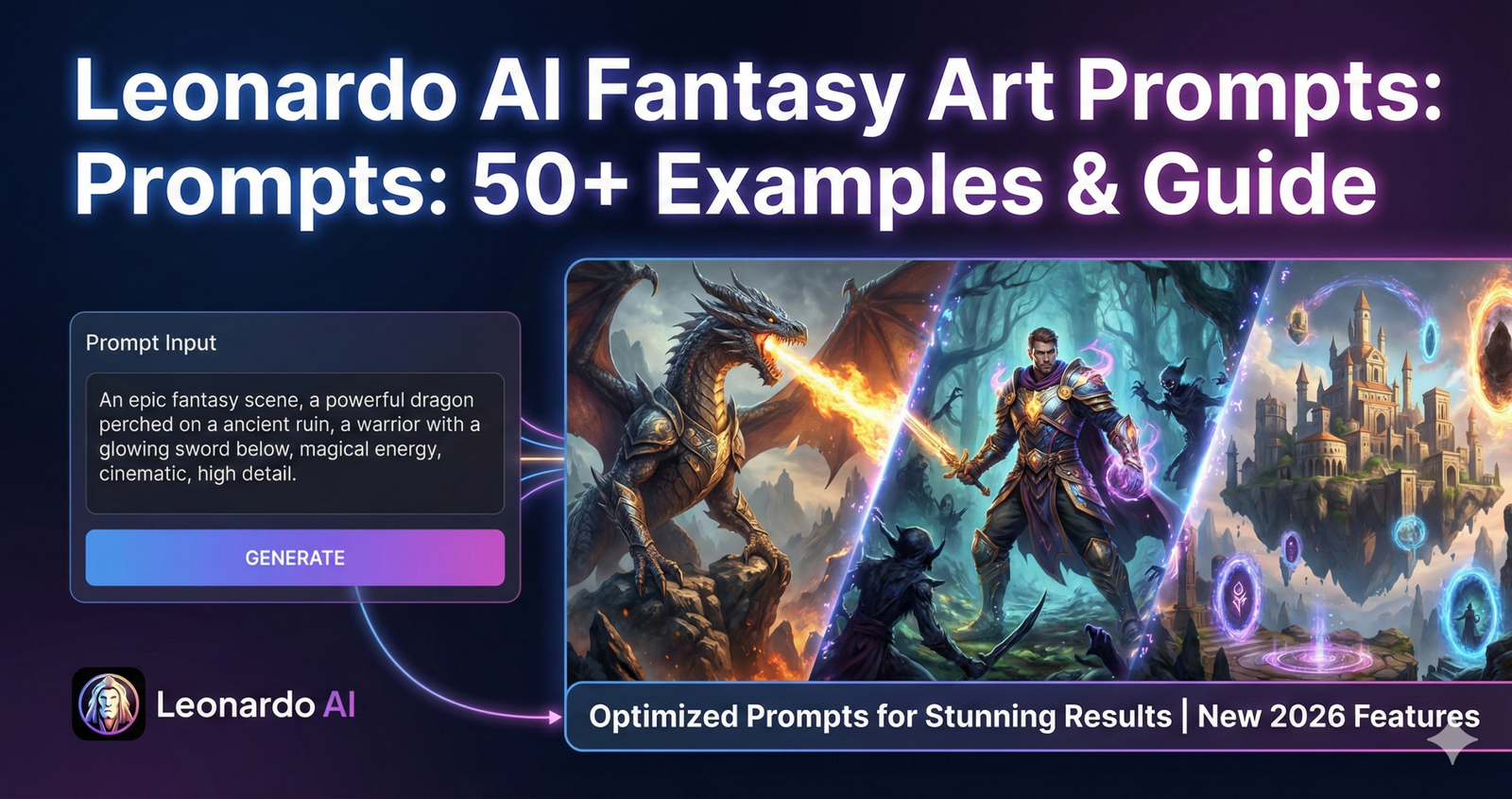
Fantasy art creation just got easier. Leonardo AI turns your words into stunning fantasy images in seconds.
But here’s the problem: Most people type vague prompts and get disappointing results. They write “fantasy warrior” and wonder why the output looks generic.
The secret lies in how you structure your prompts. The right words create epic dragons, mystical forests, and heroic characters. The wrong words waste your time and credits.
This guide gives you 50+ tested prompts that actually work. You’ll learn the exact formula professional artists use. We show you how to control every detail from lighting to armor design.
Whether you’re creating game characters, book covers, or concept art, these prompts save hours of trial and error.
Effective Leonardo AI fantasy prompts follow this structure: [Subject description] + [Action/pose] + [Environment/setting] + [Art style] + [Lighting/mood] + [Technical details]. Example: “Ancient elven archer, drawing glowing bow, misty enchanted forest, digital painting style, ethereal moonlight, 8K resolution.”
Why Leonardo AI Works Best for Fantasy Art
Leonardo AI beats other platforms for fantasy creation. Here’s why it stands out.
Character Consistency Across Images
Other AI tools struggle with consistency. You generate a character once and can’t recreate them accurately. Leonardo AI solves this problem.
The platform maintains facial features, armor details, and color schemes across multiple generations. This matters when creating character sheets or story sequences.
You can generate the same hero in different poses without losing their unique look.
Superior Detail Preservation
Fantasy art needs intricate details. Dragon scales, ornate armor, magical effects—these elements define quality.
Leonardo AI excels at rendering fine textures and complex patterns. It handles multi-layered clothing, detailed weapons, and architectural elements better than competitors.
The platform doesn’t blur or simplify intricate designs like other tools do.
Atmospheric Control
Mood makes fantasy art compelling. A dark dungeon feels different from a sunlit castle.
Leonardo AI gives you precise control over atmosphere. You can create misty mornings, stormy battlefields, or ethereal magical realms with specific prompt words.
The lighting system understands how different times of day affect fantasy scenes.
Model Variety for Different Styles
Leonardo offers multiple AI models optimised for fantasy work. RPG 4.0 specializes in game characters. Leonardo Phoenix handles photo realistic fantasy. Leonardo Kino XL creates cinematic scenes.
Each model interprets prompts differently. You pick the one matching your desired output style.
This flexibility beats platforms with only one generation engine. Much like how Midjourney prompts require specific techniques for different design types, Leonardo AI models need matching prompt strategies.
The Perfect Prompt Formula
Every great Leonardo AI prompt follows a structure. Master this formula and your results improve dramatically.
Component 1: Subject Description
Start with what you want to see. Be specific about the character, creature, or object.
Weak: “A warrior”
Strong: “A battle-scarred female dwarf warrior with braided red beard”
Include physical details like gender, age, race, and distinctive features. These details guide the AI toward your vision.
Component 2: Action or Pose
Static images feel lifeless. Add movement or meaningful poses.
Weak: “Standing”
Strong: “Raising enchanted sword overhead, battle cry expression”
Action words create dynamic compositions. They tell the AI how your subject interacts with their environment.
Component 3: Environment and Setting
Context matters. Where does this scene take place?
Weak: “Outside”
Strong: “Ancient ruins at twilight, crumbling stone pillars, mystical fog”
Describe the background elements, weather conditions, and atmospheric details. These create immersive scenes.
Component 4: Art Style
Leonardo AI can mimic various fantasy art styles. Specify which you want.
Popular styles include:
- Digital painting: Rich colors, painterly brushstrokes
- Concept art: Professional game/film quality
- Dark fantasy: Gothic, moody, dramatic shadows
- High fantasy: Bright, heroic, epic scale
- Anime fantasy: Japanese animation aesthetics
Different models favor different styles. Test which combinations work best.
Component 5: Lighting and Mood
Lighting transforms ordinary images into masterpieces.
Effective lighting descriptions:
- “Ethereal moonlight filtering through trees”
- “Dramatic rim lighting from setting sun”
- “Soft magical glow emanating from crystal”
- “Harsh shadows from flickering torchlight”
Mood words like “ominous,” “peaceful,” or “epic” guide the overall feeling.
Component 6: Technical Parameters
End prompts with quality specifications.
Essential technical additions:
- Resolution: “8K,” “4K,” “high resolution”
- Detail level: “Highly detailed,” “intricate details,” “ultra-detailed”
- Render quality: “Unreal Engine 5,” “octane render,” “photorealistic”
These terms trigger Leonardo AI’s quality enhancement features.
50+ Ready-to-Use Fantasy Prompts
Copy these proven prompts directly into Leonardo AI. Modify details to match your specific needs.
Epic Fantasy Characters (10 Prompts)
1. Legendary Dragon Slayer
“Scarred male knight in ornate silver armor, holding legendary greatsword with glowing runes, standing triumphantly on dragon skull, misty mountain peak at sunrise, epic fantasy concept art style, dramatic golden hour lighting, highly detailed armor textures, 8K resolution”
2. Mysterious Elven Sorceress
“Ancient elven female mage with flowing white hair, casting purple arcane spell with intricate hand gestures, floating rune circles around her, moonlit tower library filled with floating books, mystical fantasy art style, ethereal blue-purple lighting, magical particle effects, ultra-detailed”
3. Fierce Barbarian Warrior
“Massive male barbarian with tribal tattoos and war paint, dual-wielding battle axes, charging forward in rage, snowy battlefield with burning village background, dark fantasy style, stormy afternoon lighting, motion blur on axes, intense expression, 4K quality”
4. Noble Paladin Leader
“Female paladin in shining gold-trimmed armor, raising holy symbol that emits divine light, leading army behind her, epic battlefield at dawn, heroic fantasy concept art, inspirational composition, lens flare from divine light, cinematic quality, Unreal Engine 5 render”
5. Cunning Rogue Assassin
“Hooded male rogue in dark leather armor, crouching on rooftop edge, dual daggers drawn, medieval fantasy city at night below, stealth fantasy style, moonlight and lantern glow, shadows concealing face, atmospheric fog, high detail”
6. Wise Ancient Wizard
“Elderly wizard with long white beard wearing star-covered robes, holding gnarled wooden staff topped with glowing crystal, standing in mystical observatory, countless candles and arcane instruments, classic fantasy illustration style, warm candlelight, magical ambiance, detailed textures”
7. Fierce Dragon Rider
“Young female dragon rider in aerodynamic armor, sitting confidently on majestic red dragon in flight, soaring above cloud layer with mountains visible below, epic aerial fantasy scene, golden sunset lighting, wind effects on hair and clothing, breathtaking vista, cinematic composition”
8. Cursed Undead Knight
“Skeletal death knight in decaying black armor with glowing green eyes, wielding massive corrupted sword, standing in graveyard under blood moon, dark necromantic fantasy style, ominous green and red lighting, spectral mist effects, gothic atmosphere, 8K detail”
9. Forest Guardian Druid
“Male druid covered in living moss and leaves, antlers growing from head, staff made of twisted vines, standing in ancient sacred grove, nature magic glowing from hands, high fantasy art style, dappled forest sunlight, mystical green glow, connection with nature theme”
10. Battle-Ready Dwarf Berserker
“Stocky male dwarf with braided orange beard adorned with rune beads, wearing heavy plate armor with clan symbols, wielding enchanted war hammer crackling with lightning, standing in dwarven forge hall, traditional fantasy RPG style, forge fire lighting, sparks and embers, rugged and determined expression”
Mythical Creatures (10 Prompts)
11. Majestic Phoenix Rising
“Enormous phoenix with flames forming feathers, spreading wings wide while emerging from volcanic crater, magical fire particles trailing, mythical creature concept art, intense orange and red lighting, ember effects, dramatic upward angle, photorealistic details, 8K quality”
12. Ancient Forest Dragon
“Massive emerald green dragon with moss and vines growing on scales, coiled around enormous ancient tree, forest clearing setting, eyes glowing with ancient wisdom, realistic dragon anatomy, dappled sunlight through canopy, nature magic aesthetic, highly detailed scales and textures”
13. Ethereal Unicorn Spirit
“Translucent white unicorn with glowing mane made of starlight, walking through enchanted meadow with floating magical flowers, dreamlike fairy tale atmosphere, soft pastel lighting, magical sparkles and glow effects, whimsical fantasy illustration style, gentle and peaceful mood”
14. Terrifying Hydra Beast
“Seven-headed hydra emerging from dark swamp waters, each head with different scale patterns, fangs dripping venom, decaying trees in background, dark fantasy creature design, ominous twilight lighting, poisonous green glow from eyes, menacing and dangerous atmosphere, 4K resolution”
15. Celestial Griffin Guardian
“Noble griffin with golden eagle head and white lion body, armored in celestial plate, perched on mountain temple ruins, clouds below viewpoint, divine guardian aesthetic, radiant sunlight from behind creating silhouette, epic scale, majestic composition, Unreal Engine render”
16. Sinister Shadow Demon
“Demonic entity made of living shadows with glowing red eyes, shapeless but vaguely humanoid form, rising from dark ritual circle, corrupted temple interior, horror fantasy style, blood-red and pitch-black color scheme, ominous supernatural lighting, terrifying presence”
17. Graceful Water Elemental
“Female humanoid figure composed entirely of flowing water, hair cascading like waterfall, dancing pose above lake surface, underwater ruins visible below, water spirit concept art, brilliant blue and turquoise colors, refraction and transparency effects, magical and serene”
18. Ancient Stone Golem
“Massive stone golem covered in glowing rune carvings, standing guard at mountain pass entrance, broken stones and boulders around feet, dwarven runic magic style, pulsing orange glow from runes, weathered stone textures, imposing and protective stance, 8K detail level”
19. Mystical Fairy Dragon
“Tiny dragon with iridescent butterfly wings, perched on glowing mushroom, enchanted forest glade with bioluminescent plants, cute but magical creature design, soft magical lighting, sparkle effects, vibrant colors, whimsical and charming style, high detail despite small size”
20. Legendary Kraken Attack
“Enormous kraken tentacles emerging from stormy ocean, wrapping around sailing ship, sailors visible on deck, dramatic maritime fantasy scene, dark storm clouds, lightning illumination, massive scale comparison, intense action, cinematic ocean rendering, 4K quality”
Fantasy Environments (10 Prompts)
21. Floating Sky Islands
“Chain of floating islands connected by ancient bridges, waterfalls cascading into clouds below, mystical temples on each island, soaring birds in distance, high fantasy landscape, golden hour lighting, atmospheric perspective, breathtaking vista, concept art quality, 8K resolution”
22. Dark Necromancer Tower
“Towering black obsidian spire with glowing green windows, surrounded by dead twisted trees, graveyard at base, blood moon overhead, dark fantasy gothic architecture, ominous green and purple lighting, fog effects, menacing atmosphere, highly detailed stonework”
23. Elven Treetop City
“Sprawling city built within massive ancient trees, connected by rope bridges and wooden walkways, elegant curved architecture integrated with nature, morning mist below canopy, high fantasy civilization, soft dawn lighting, magical lanterns, peaceful and beautiful, aerial perspective”
24. Crystal Cave System
“Vast underground cavern filled with luminescent crystals in multiple colors, underground lake reflecting crystal glow, intricate rock formations, fantasy mining location, ethereal multicolored lighting from crystals, magical ambiance, geological detail, photorealistic rendering, 4K quality”
25. Ruined Dragon Temple
“Ancient temple complex overgrown with jungle vegetation, broken dragon statues flanking entrance, crumbling stone pillars with carved runes, atmospheric fog, lost civilization aesthetic, filtered sunlight through trees, mysterious and ancient feeling, detailed weathering and decay”
26. Volcanic Fortress
“Imposing fortress built into side of active volcano, lava flows visible, dark smoke clouds, iron and obsidian construction, evil overlord stronghold design, dramatic red and orange lighting from lava, heat distortion effects, intimidating and impregnable, concept art style”
27. Frozen Ice Palace
“Majestic palace entirely made of enchanted ice and snow, crystalline spires and towers, northern lights visible in night sky, winter kingdom setting, blue and white color palette, magical ice glow, detailed ice crystal textures, elegant architecture, 8K resolution”
28. Enchanted Library Interior
“Massive magical library with towering bookshelves reaching into darkness above, floating books and glowing orbs, spiral staircases, cozy reading nooks with candles, scholarly fantasy setting, warm candlelight contrasting with magical glows, atmospheric dust particles, highly detailed”
29. Mystical Portal Gateway
“Ancient stone archway with swirling magical portal showing another realm, mysterious runes carved around frame, misty clearing in dark forest, portal magic effects, purple and blue energy swirls, gateway between worlds theme, ominous yet inviting atmosphere, photorealistic quality”
30. Underwater Mer-Kingdom
“Magnificent underwater city with coral buildings and seashell architecture, merfolk swimming through streets, bioluminescent sea life providing light, deep ocean setting, aquatic fantasy civilization, filtered blue-green underwater lighting, schools of fish, magical and alive, 4K detail”
Epic Fantasy Scenes (10 Prompts)
31. Dragon Battle Above Castle
“Massive aerial battle between knight on white dragon versus dark sorcerer on black dragon, medieval castle under siege below, armies visible on ground, epic fantasy war scene, dramatic storm lighting with lightning bolts, intense action mid-flight, cinematic composition, 8K quality”
32. Wizard Duel Showdown
“Two powerful mages facing off, casting opposing elemental spells that collide mid-air, magical energy explosion between them, ancient arena setting, epic magic battle, intense multicolored lighting from spells, debris and energy particles floating, dramatic perspective, Unreal Engine 5 render”
33. Hero Confronts Dark Lord
“Lone hero in glowing armor facing massive demon lord on obsidian throne, throne room with fire and lava, minions in shadows, classic good versus evil confrontation, dramatic lighting from above illuminating hero, dark shadows around villain, epic scale difference, cinematic moment”
34. Quest Party at Crossroads
“Diverse adventuring party standing at ancient stone crossroads marker at dusk, discussing which path to take, mystical signs pointing different directions, classic fantasy RPG scene, golden hour lighting, atmospheric mood, fellowship and journey theme, detailed character designs”
35. Sacred Ritual Ceremony
“Circle of hooded druids performing ancient ritual around stone altar, glowing magical symbols on ground, full moon overhead, sacred grove setting, mystical fantasy atmosphere, blue-white magical lighting, chanting and spell-casting poses, spiritual and powerful moment”
36. Treasure Hoard Discovery
“Adventurers entering massive dragon’s treasure chamber filled with gold coins, jewels, and magical artifacts, skeleton remains and weapons scattered about, underground cavern with dragon sleeping in background, treasure hunter fantasy scene, warm gold glow throughout, sense of danger and wonder”
37. Army March to Battle
“Massive fantasy army marching toward enemy fortress on horizon, banners flying, cavalry and infantry in formation, dawn breaking behind them, epic military fantasy scene, dramatic sky with breaking storm clouds, sense of impending conflict, aerial wide angle view, 4K quality”
38. Resurrection Spell Cast
“Cleric channeling divine power to resurrect fallen hero, golden holy energy flowing into lifeless body, other party members watching hopefully, ancient temple setting, miracle moment, dramatic shaft of divine light from above, emotional scene, magical and spiritual, highly detailed”
39. Sea Monster Ship Attack
“Giant sea serpent coiled around sailing ship, smashing masts with tail, crew fighting back with harpoons and magic, stormy seas, maritime fantasy action, dramatic lightning illumination, water splashing and spraying, intense danger, dynamic composition, cinematic quality”
40. Portal Army Invasion
“Demon army pouring through massive magical portal into peaceful kingdom, defenders rallying to fight, portal in town square, apocalyptic fantasy war scene, contrasting peaceful architecture with demonic invaders, fire and destruction beginning, urgent action, epic scale, 8K detail”
Fantasy Weapons and Items (10 Prompts)
41. Legendary Holy Sword
“Ornate silver longsword floating in divine light beam, blade etched with glowing sacred runes, golden cross-guard with embedded gems, stone pedestal below, sacred relic presentation, dramatic holy lighting from above, lens flare effects, photorealistic metal and gem rendering, 4K quality”
42. Ancient Spellbook Artifact
“Massive leather-bound tome with metal reinforcements, glowing magical symbols on cover, floating above stone pedestal with mystical energy spiraling around it, ancient library background, arcane knowledge aesthetic, purple-blue magical glow, aged leather textures, highly detailed, 8K resolution”
43. Dragon-Slayer Greataxe
“Enormous double-bladed battle axe with dragon skull decorating blade joint, handle wrapped in red dragon hide, weapon stuck in stone ground, battlefield background, legendary weapon design, dramatic lighting showing weapon details, battle-worn but maintained, detailed engravings and craftsmanship”
44. Enchanted Elven Bow
“Elegant longbow made from living wood with leaves still growing on limbs, string of light energy, glowing nature runes along wood, arrow nocked with magical glow, forest background, elven craftsmanship style, soft natural lighting, organic magical aesthetic, beautiful weapon design”
45. Necromancer Staff of Power
“Dark twisted wooden staff topped with floating skull surrounded by green flame, bones attached with chains, staff planted in dead ground, graveyard setting, necromantic power focus, ominous green lighting, dark magic emanating, gothic and sinister design, photorealistic rendering”
46. Magical Crystal Orb
“Large crystal sphere containing swirling galaxies and stars within, sitting on ornate dragon claw stand, wizard tower study setting, scrying device aesthetic, ethereal multicolored inner lighting, crystal transparency and refraction, mystical divination tool, highly detailed, 4K quality”
47. Cursed Dark Armor Set
“Complete suit of black armor with purple glowing accents, floating pieces arranged in display formation, spectral energy connecting pieces, dark fantasy equipment, ominous purple-black lighting, intimidating design, corrupted appearance, detailed plate work and spikes”
48. Healing Potion Collection
“Row of ornate glass bottles containing glowing liquids in different colors, arranged on ancient wooden shelf, magical herb ingredients visible around bottles, alchemist workshop setting, soft magical glow from each potion, glass transparency effects, detailed labels and stoppers”
49. Artifact Crown of Kings
“Ancient golden crown with embedded magical gems that glow with power, floating above velvet cushion, throne room setting, symbol of ultimate authority, warm golden lighting, jewel sparkle effects, intricate metalwork details, majestic and powerful presentation, 8K resolution”
50. Runeblade Katana
“Elegant curved katana with glowing blue runes running along blade, ornate handle wrap, sheathed partially showing blade, dojo or shrine background, fusion of Eastern and Western fantasy, dramatic blue magical lighting, sharp focus on blade details, masterwork weapon design”
Advanced Prompt Techniques
Master these strategies to create even better fantasy art with Leonardo AI.
Negative Prompts for Quality Control
Tell Leonardo AI what to avoid. The negative prompt feature eliminates unwanted elements.
Common negative prompts for fantasy art:
- “Blurry, low quality, pixelated, distorted anatomy”
- “Modern clothing, contemporary objects, cars, phones”
- “Cartoon style, child-like, simplified” (if you want realism)
- “Oversaturated, neon colors” (for traditional fantasy)
Negative prompts clean up your outputs. They prevent common AI mistakes like extra fingers or awkward poses.
Prompt Weighting for Emphasis
Leonardo AI lets you emphasize certain words. Add numbers to increase their importance.
Example: “Dragon:1.5, forest:0.8, sunset:1.2”
Higher numbers make those elements more prominent. Lower numbers reduce their influence.
This technique helps when the AI ignores important parts of your prompt.
Style Reference Images
Upload reference images to guide Leonardo AI’s output style. This works better than trying to describe complex artistic styles with words.
Find artwork matching your desired aesthetic. Upload it using the image-to-image feature. Leonardo AI will analyze and mimic that style.
This technique ensures consistency across multiple generations.
Prompt Chaining for Complex Scenes
Create complex scenes in stages. Generate the background first, then add characters separately.
Process:
- Generate the environment with detailed landscape prompt
- Use that image as base
- Add character using image-to-image with character prompt
This approach gives you better control over complicated compositions. Similar to how effective ChatGPT prompting requires breaking complex requests into steps, Leonardo AI benefits from staged generation.
Model Selection Strategy
Different models produce different fantasy styles. Learn which model suits each project.
Leonardo Phoenix: Best for photorealistic fantasy characters and creatures
RPG 4.0: Optimized for game-style fantasy art
Leonardo Kino XL: Creates cinematic fantasy scenes
DreamShaper: Good for artistic interpretation
Test the same prompt across multiple models. Pick the one that matches your vision.
Common Mistakes to Avoid
Even experienced users make these errors. Learn from them to save time and credits.
Mistake 1: Vague Subject Descriptions
Writing “warrior” gives you generic results. Leonardo AI needs specifics.
Instead specify: gender, age, race, clothing details, weapons, distinctive features, and personality traits.
Compare these:
- Bad: “A mage casting a spell”
- Good: “Elderly male wizard with long white beard, wearing midnight blue robes covered in golden star patterns, casting fireball spell with dramatic hand gesture”
The detailed version produces far better results.
Mistake 2: Forgetting Environmental Context
Characters floating in white space look unfinished. Always include setting details.
Add: location type, weather, time of day, background elements, and atmospheric effects.
Environment makes your subject feel grounded in a world.
Mistake 3: Ignoring Lighting
Flat lighting makes fantasy art look dull. Specify light sources and quality.
Effective lighting descriptions:
- “Dramatic backlighting from setting sun”
- “Soft ethereal glow from magical crystals”
- “Harsh shadows from flickering torchlight”
Lighting creates mood and depth.
Mistake 4: Overcomplicating Prompts
Adding too many conflicting elements confuses Leonardo AI. It struggles to prioritize what matters.
Keep prompts focused. If you want both a character and an environment, generate them separately then combine.
Clear simple requests beat confused complex ones.
Mistake 5: Not Using Negative Prompts
Failing to specify what you don’t want wastes generations. Common AI flaws appear repeatedly without negative prompts.
Always add: “blurry, low quality, distorted anatomy, extra limbs”
This eliminates most quality issues before they appear.
Mistake 6: Wrong Resolution Settings
Generating at low resolution then trying to upscale creates problems. Start with high resolution from the beginning.
Use: “8K,” “4K,” or “high resolution” in your prompts
Leonardo AI’s upscaling works better when the base image is already detailed.
Optimizing for Different Fantasy Subgenres
Fantasy has many subgenres. Each needs specific prompt adjustments.
Dark Fantasy Style
Dark fantasy emphasizes gothic horror elements and grim atmospheres.
Key elements to include:
- Gothic architecture
- Ominous lighting (blood moon, fog, shadows)
- Corrupted or undead creatures
- Worn, battle-damaged equipment
- Muted dark color palette
- Rain, storms, or oppressive weather
Example prompt: “Cursed knight in decayed black armor, surrounded by spectral spirits, standing in ruined cathedral, blood moon through broken windows, dark fantasy gothic style, ominous red and black lighting, atmospheric fog, 8K detail”
High Fantasy Style
High fantasy celebrates epic heroism and grand magical worlds.
Key elements to include:
- Bright vibrant colors
- Majestic landscapes
- Noble characters in pristine armor
- Divine or pure magic
- Inspirational heroic poses
- Clear dramatic lighting
Example prompt: “Noble elven queen in radiant silver armor, raising crystal staff with divine light, standing on marble palace steps, army of allies behind her, high fantasy epic style, golden sunrise lighting, inspirational composition, 8K quality”
Anime Fantasy Style
Anime fantasy combines Japanese animation aesthetics with fantasy elements.
Key elements to include:
- Large expressive eyes
- Colorful spiky or flowing hair
- Exaggerated proportions
- Bold outlines
- Vibrant color schemes
- Dynamic action poses
Example prompt: “Young female mage with long pink hair and large blue eyes, wearing ornate wizard robes, casting colorful magic spell, anime fantasy style, dynamic action pose, vibrant colors, cel-shaded aesthetic, Studio Ghibli inspiration, 4K quality”
Grimdark Fantasy Style
Grimdark emphasizes brutal realism and moral ambiguity.
Key elements to include:
- Weathered battle-damaged equipment
- Scarred or wounded characters
- Muddy battlefields
- Harsh realistic lighting
- Gritty textures
- War-torn environments
Example prompt: “War-weary soldier in battered armor covered in mud and blood, exhausted expression, kneeling on corpse-strewn battlefield, smoke and fire in background, grimdark realistic style, harsh daylight, gritty photorealistic rendering, 8K detail”
Best Leonardo AI Models for Fantasy
Leonardo offers multiple models. Choose the right one for your fantasy art type.
Leonardo Phoenix
Best for: Photorealistic fantasy characters and creatures
Phoenix excels at detailed anatomy, realistic textures, and lifelike lighting. Use it when you want your fantasy elements to look like they could exist in reality.
RPG 4.0
Best for: Video game-style fantasy art
This model understands game character design conventions. It creates consistent character sheets and game-ready assets. Perfect for indie game developers.
Leonardo Kino XL
Best for: Cinematic fantasy scenes
Kino produces movie-quality compositions with dramatic camera angles and lighting. Use it for epic landscape shots and action scenes.
DreamShaper
Best for: Artistic interpretation
DreamShaper adds creative flair and painterly qualities. It works well when you want more artistic freedom rather than strict realism.
Test your prompts across models. You’ll discover which one aligns with your artistic vision. Much like how different AI models excel at different tasks, Leonardo’s models each have unique strengths.
Troubleshooting Common Issues
Problems happen even with good prompts. Here’s how to fix them.
Issue: Character Has Extra Fingers or Limbs
Leonardo AI sometimes adds extra body parts.
Solution: Add to negative prompt: “extra fingers, extra limbs, distorted anatomy, malformed hands”
Also try: “Anatomically correct, proper human anatomy, five fingers per hand”
Issue: Face Looks Distorted or Unnatural
Faces are challenging for AI to generate perfectly.
Solution: Use negative prompts: “Deformed face, ugly, asymmetrical features”
Add to main prompt: “Beautiful detailed face, perfect facial features, symmetrical”
Issue: Background Overwhelms Character
Sometimes environments become too detailed and distract from the subject.
Solution: Use prompt weighting. “Character:1.5, background:0.7” emphasizes the character.
Add: “Shallow depth of field, character in sharp focus, blurred background”
Issue: Colors Look Oversaturated or Weird
AI can produce unnatural color schemes.
Solution: Specify realistic color palettes. “Natural colors, realistic tones, muted fantasy palette”
Add to negative prompt: “Oversaturated, neon colors, unrealistic hues”
Issue: Style Keeps Changing Between Generations
Consistency problems frustrate series creators.
Solution: Use image references. Generate one good image, then use it as style reference for future generations.
Save your exact prompt text. Reuse identical wording for consistency.
Issue: Prompt Ignored or Misinterpreted
Leonardo AI sometimes focuses on wrong elements.
Solution: Simplify your prompt. Remove conflicting descriptions. Use prompt weighting to emphasize important elements.
Try different model—some interpret prompts more accurately than others.
Using Fantasy Art Commercially
Many creators sell Leonardo AI fantasy art. Know the rules before commercializing your work.
Leonardo AI Terms of Service
Free tier users don’t own commercial rights to their generations. You can create for personal use only.
Paid subscribers receive commercial usage rights. You can sell prints, use in products, or license to clients.
Always check current terms—licensing changes over time.
Copyright Considerations
AI-generated art sits in a legal gray area. Pure AI output without human modification gets limited copyright protection.
How to strengthen copyright claims:
- Extensively edit AI outputs
- Combine multiple generations
- Add original elements manually
- Document your creative process
The more human creativity you add, the stronger your legal position.
Attribution Requirements
Some platforms require crediting Leonardo AI in commercial work. Check the specific requirements for your subscription level.
Even when not required, many artists credit AI tools voluntarily. This builds trust with clients and followers.
Client Disclosure
Professional ethics often require disclosing AI use to clients. Many clients specifically ask whether work is AI-assisted.
Be transparent. Position AI as a tool enhancing your creative process rather than replacing artistic skill.
7 Frequently Asked Questions
Q1: Can I use Leonardo AI fantasy art commercially?
Yes, if you have a paid subscription. Leonardo AI grants commercial rights to paid users, meaning you can sell prints, use images in products, or license them to clients. However, free tier users cannot commercialize their generations. Always verify current terms since licensing policies sometimes change. Additionally, strengthen your copyright claims by extensively editing AI outputs and adding original creative elements. Pure AI-generated art without human modification receives limited legal protection in many jurisdictions.
Q2: Why do my Leonardo AI fantasy characters keep looking similar?
This happens when prompts lack specific details. Generic descriptions like “warrior” or “mage” produce generic results because the AI draws from common patterns. Fix this by adding unique characteristics: facial features, specific clothing details, distinctive weapons, personality traits, unusual color schemes, and memorable accessories. Also try using style references or character reference images to guide the AI toward your specific vision rather than its defaults.
Q3: Which Leonardo AI model is best for fantasy art?
It depends on your needs. Leonardo Phoenix excels at photorealistic fantasy with detailed textures and lighting. RPG 4.0 specializes in video game-style character designs perfect for indie developers. Leonardo Kino XL creates cinematic scenes with dramatic compositions. DreamShaper adds artistic painterly qualities for more creative interpretations. Test the same prompt across models to discover which produces results matching your artistic vision. Most professional fantasy artists use multiple models for different project types.
Q4: How do I keep fantasy characters consistent across multiple images?
Leonardo AI struggles with perfect consistency, but several techniques help. First, save your exact prompt text and reuse it precisely for each generation. Second, use the first successful generation as a style reference image for subsequent ones. Third, add extremely specific details about appearance in your prompts—exact hair color, facial features, clothing descriptions, and distinctive marks. Fourth, use the same model for all generations since different models interpret prompts differently. Finally, consider using Leonardo’s Character Reference feature if available in your subscription tier.
Q5: Can I create NSFW fantasy art with Leonardo AI?
Leonardo AI has content policies restricting explicit adult content. While you can create fantasy art featuring sensuality or mature themes within guidelines, fully explicit NSFW content violates terms of service. Many fantasy concepts work perfectly within these boundaries—revealing armor, romantic scenes, horror elements, and suggestive poses are typically acceptable. However, graphic nudity or sexually explicit content gets flagged and potentially results in account restrictions. Review Leonardo’s current community guidelines before creating mature content.
Q6: Why does Leonardo AI add weird elements I didn’t ask for?
AI models sometimes hallucinate unexpected details based on pattern recognition from training data. Common unwanted additions include extra fingers, floating objects, or background elements you didn’t specify</parameter> <parameter name=”new_str”>Q6: Why does Leonardo AI add weird elements I didn’t ask for?
AI models sometimes hallucinate unexpected details based on pattern recognition from training data. Common unwanted additions include extra fingers, floating objects, or background elements you didn’t specify. Combat this with detailed negative prompts listing what to avoid: “no extra limbs, no distorted anatomy, no modern objects, no unwanted characters.” Also, simplify overly complex prompts since too many conflicting elements confuse the AI. Finally, increase generation quality settings and use higher resolution outputs, which typically produce cleaner results with fewer hallucinations.
Q7: How many prompt variations should I test before settling on a final image?
Professional fantasy artists typically generate 10-20 variations before selecting their best result. Start with 3-5 variations of your core prompt to explore possibilities. Identify the most promising direction, then create 5-10 refinements with small prompt adjustments. Finally, pick the top 2-3 and generate a few final high-quality versions. This iterative approach balances creativity exploration with credit efficiency. Don’t expect perfection on your first generation—AI art requires experimentation. Budget credits for testing and refinement rather than hoping one prompt produces perfect results immediately.




1 thought on “Leonardo AI Prompts for Fantasy Art: Complete Guide with 50+ Examples”